Fill in a Valid Imm5707 Form
Document Sample

Citizenship and |
Citoyenneté et |
PROTECTED WHEN COMPLETED - B |
Immigration Canada |
Immigration Canada |
|
|
|
PAGE 1 OF 2 |
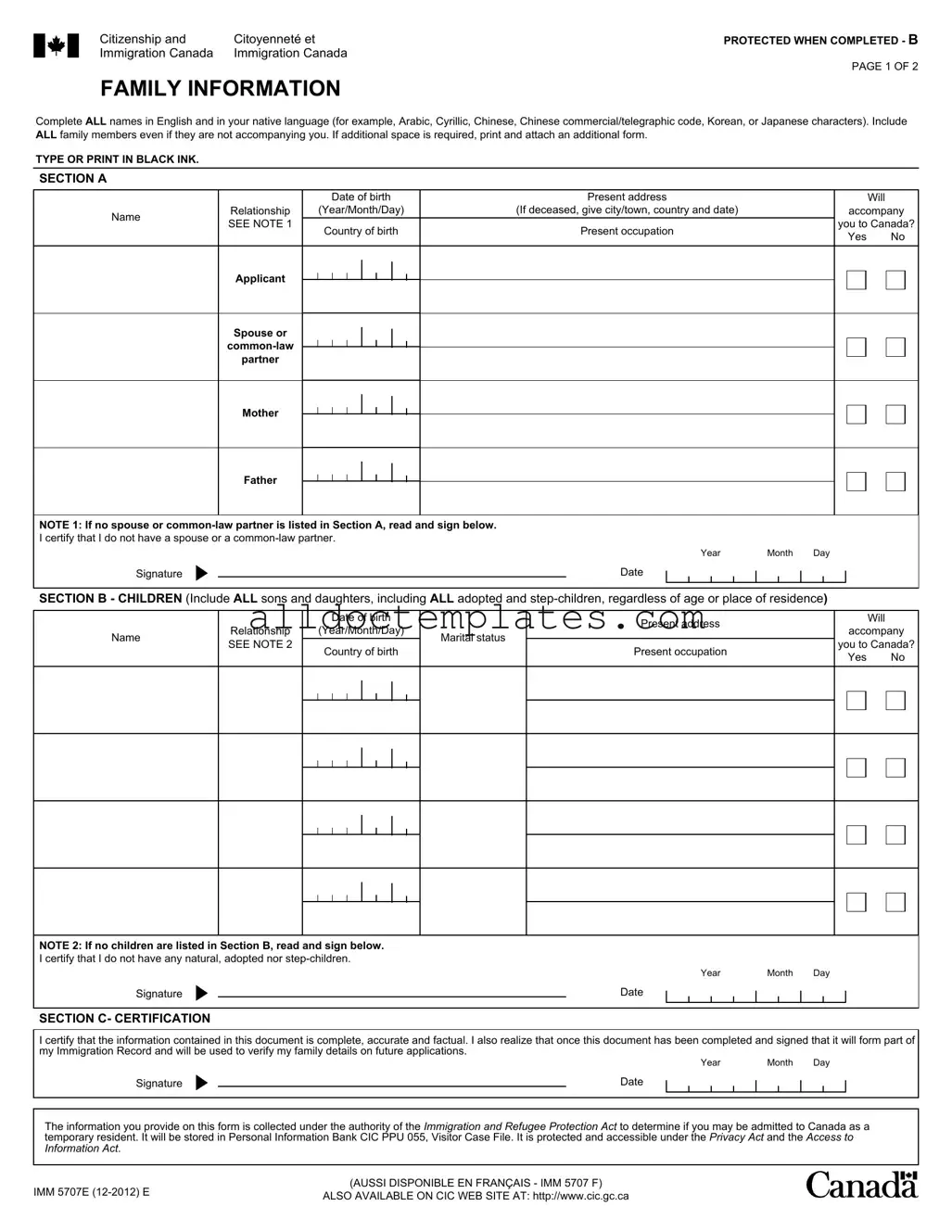
FAMILY INFORMATION
Complete ALL names in English and in your native language (for example, Arabic, Cyrillic, Chinese, Chinese commercial/telegraphic code, Korean, or Japanese characters). Include ALL family members even if they are not accompanying you. If additional space is required, print and attach an additional form.
TYPE OR PRINT IN BLACK INK.
SECTION A
|
|
|
Date of birth |
Present address |
||||||
Name |
Relationship |
|
(Year/Month/Day) |
(If deceased, give city/town, country and date) |
||||||
SEE NOTE 1 |
|
Country of birth |
Present occupation |
|||||||
|
|
|||||||||
|
|
|
||||||||
|
|
|
|
|
|
|
|
|
|
|
|
Applicant |
|
|
|
|
|
|
|
|
|
|
|
|
|
|
|
|
|
|
|
|
|
|
|
|
|
|
|
|
|
|
|
|
|
|
|
|
|
|
|
|
|
|
|
|
|
|
|
|
|
|
|
|
|
|
Spouse or |
|
|
|
|
|
|
|
|
|
|
|
|
|
|
|
|
|
|
|
|
|
|
|
|
|
|
|
|
|
|
|
|
|
|
|
|
|
|
|
|
|
|
|
partner |
|
|
|
|
|
|
|
|
|
Will
accompany
you to Canada?
Yes No
Mother
Father
NOTE 1: If no spouse or
I certify that I do not have a spouse or a
Year |
Month |
Day |
Signature |
|
Date |
|
SECTION B - CHILDREN (Include ALL sons and daughters, including ALL adopted and
Name
|
|
Date of birth |
||||||
Relationship |
|
(Year/Month/Day) |
||||||
SEE NOTE 2 |
|
Country of birth |
||||||
|
|
|||||||
|
|
|
|
|
|
|
|
|
|
|
|
|
|
|
|
|
|
|
|
|
|
|
|
|
|
|
|
|
|
|
|
|
|
|
|
|
|
|
|
|
|
|
|
|
|
|
|
|
|
|
|
|
|
|
|
|
|
|
|
|
|
|
|
|
|
|
|
|
|
|
|
|
|
|
|
|
|
|
|
|
|
|
|
|
|
|
|
|
|
|
|
|
|
|
|
|
|
|
|
|
|
|
|
|
|
|
|
|
|
|
|
|
|
|
|
|
Marital status
Present address
Present occupation
Will
accompany
you to Canada?
Yes No
NOTE 2: If no children are listed in Section B, read and sign below.
I certify that I do not have any natural, adopted nor
Year |
Month |
Day |
Signature |
|
Date |
|
SECTION C- CERTIFICATION
I certify that the information contained in this document is complete, accurate and factual. I also realize that once this document has been completed and signed that it will form part of my Immigration Record and will be used to verify my family details on future applications.
Year |
Month |
Day |
Signature |
|
Date |
|
The information you provide on this form is collected under the authority of the Immigration and Refugee Protection Act to determine if you may be admitted to Canada as a temporary resident. It will be stored in Personal Information Bank CIC PPU 055, Visitor Case File. It is protected and accessible under the Privacy Act and the Access to Information Act.
IMM 5707E |
(AUSSI DISPONIBLE EN FRANÇAIS - IMM 5707 F) |
|
ALSO AVAILABLE ON CIC WEB SITE AT: http://www.cic.gc.ca |
||
|
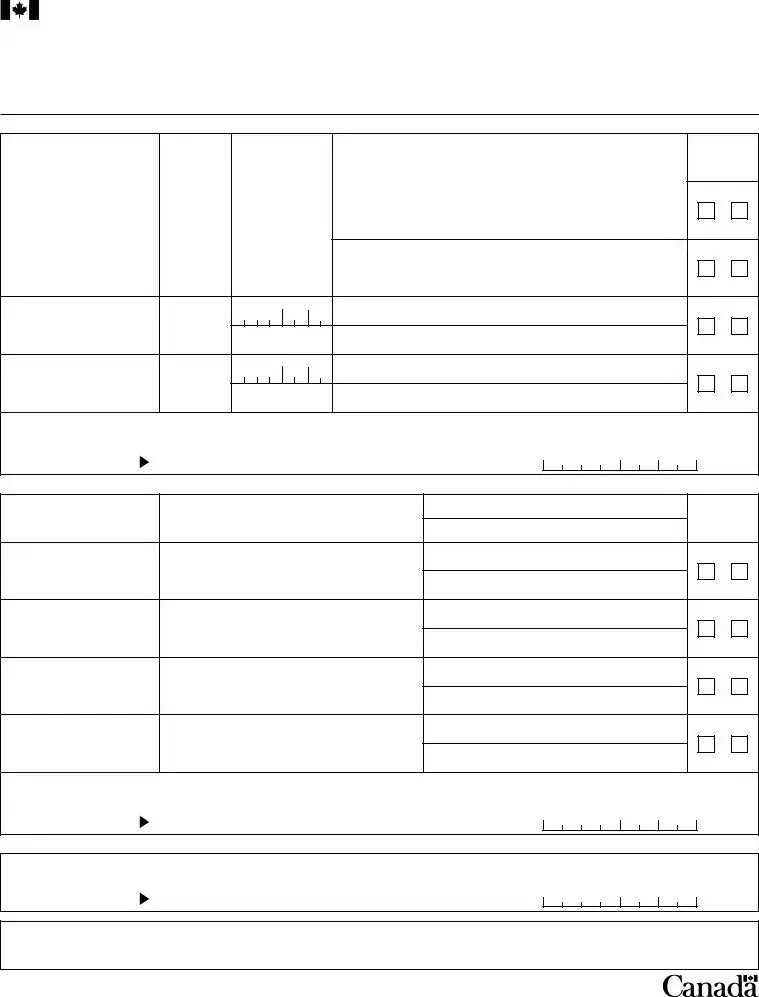
PAGE 2 OF 2
INSTRUCTIONS
Who needs to fill out this application form?
This form must be completed by:
•each person, 18 years of age or older, or
•a minor (less than 18 years of age) travelling alone, and
•be a passport holder from one of the following countries: o Argentina
o Brazil
o Malaysia o Russia
o Saudi Arabia o South Africa
If you require a Temporary Resident Visa (TRV) and your passport is not from the countries listed above, you must complete the Additional Family Information (IMM 5645) instead.
SECTION A
Write the personal details for:
•yourself,
•your spouse or
•your mother and
•your father.
Include: full name, date of birth, country of birth, present address and occupation (job).
Check Yes or No to indicate if the person will accompany you to Canada.
If a person is deceased, indicate in which city/town, country and the date of death under "Present address".
If a person is not employed, indicate whether the person is retired, studying, etc.
If a section does not apply to you write "Not applicable" or "N/A".
Note: If you do not have a spouse or a
SECTION B
Write the personal details for your children. It is very important that you list all of your children (even if they are already permanent residents or citizens of Canada). This includes:
•married children,
•adopted children,
•children of your
•any of your children who have been adopted by others,
•any of your children who are in the custody of an
Include: full name, relationship (e.g. brother,
Check Yes or No to indicate if the person will accompany you to Canada.
If a person is not employed, indicate whether the person is retired, studying, etc.
Note: If you do not have any children, read "Note 2", sign and date the declaration.
SECTION C
Signature
Sign and date in the boxes provided at the bottom of the page.
Note: By signing, you certify that you fully understand the questions asked, and that the information you have provided is complete, accurate and factual. If you do not sign or date the form, your application will be returned to you.
IMM 5707E
Document Information
| Fact Name | Description |
|---|---|
| Purpose | The IMM5707 form collects family information for individuals applying to enter Canada as temporary residents. |
| Who Should Complete | Every person aged 18 or older must fill out this form. Minors traveling alone also need to complete it. |
| Required Information | Applicants must provide full names, dates of birth, and occupations for themselves and family members. |
| Accompanying Family | Applicants must indicate whether each family member will accompany them to Canada by checking "Yes" or "No." |
| Children's Details | All children, including adopted and step-children, must be listed regardless of age or residence. |
| Signature Requirement | Applicants must sign and date the form to certify the accuracy of the information provided. |
| Privacy Protection | Information collected is protected under the Privacy Act and stored in a secure database. |
| Alternative Form | If your passport is not from the specified countries, you must complete the Additional Family Information form (IMM 5645). |
| Governing Law | This form is governed by the Immigration and Refugee Protection Act of Canada. |
Imm5707 - Usage Guidelines
Completing the Imm5707 form is an essential step in your application process. This form collects important family information that will be part of your immigration record. Please follow the steps below to fill out the form accurately.
- Begin with Section A. Fill in your personal details, including your full name, date of birth, country of birth, present address, and occupation. Include your spouse or common-law partner's details if applicable, as well as your mother and father.
- Indicate whether each person will accompany you to Canada by checking "Yes" or "No". If a person is deceased, provide their city/town, country, and date of death under "Present address".
- If a section does not apply to you, write "Not applicable" or "N/A". If you do not have a spouse or common-law partner, read "Note 1" and sign and date the declaration.
- Next, move to Section B. List all your children, including adopted and step-children, regardless of age or residence. Include their full name, relationship, date of birth, country of birth, marital status, present address, and occupation.
- Again, indicate if each child will accompany you to Canada by checking "Yes" or "No". If a section does not apply, write "Not applicable" or "N/A". If you do not have any children, read "Note 2" and sign and date the declaration.
- Proceed to Section C. Sign and date the form in the boxes provided at the bottom of the page. Your signature certifies that the information you provided is complete and accurate.
- Finally, review the entire form for any errors or omissions before submitting it. Ensure that all required sections are filled out and that you have signed where necessary.
Common PDF Forms
Affidavit of Support - Updating information on the form is necessary if a sponsor's financial situation changes.
When engaging in the sale or purchase of an all-terrain vehicle, utilizing the Colorado ATV Bill of Sale form is essential for a seamless transaction. This document, which details the vehicle's specifics and the involved parties, not only safeguards both buyer and seller but also is readily accessible at Colorado PDF Templates, ensuring you have a reliable template to work from.
W-9 Example - Proper handling of W-9 forms can prevent unwanted tax complications.
Dos and Don'ts
When filling out the IMM5707 form, it is crucial to approach the process with care and attention to detail. Here are ten guidelines to help ensure that the form is completed correctly:
- Do use black ink when typing or printing the form to ensure clarity.
- Do include all family members, even those who are not accompanying you to Canada.
- Do provide accurate information regarding each family member’s name, date of birth, and relationship.
- Do sign and date the form in the designated areas to validate your application.
- Do indicate if any family member is deceased, including their date of death and last known address.
- Don't leave any sections blank; if a section does not apply, write "Not applicable" or "N/A."
- Don't forget to include all children, regardless of their current status or residency.
- Don't provide false or misleading information; this could jeopardize your application.
- Don't forget to read and understand the notes provided for each section before signing.
- Don't submit the form without reviewing it for any errors or omissions.
By adhering to these guidelines, individuals can enhance the likelihood of a smooth application process. Attention to detail and honesty are key components in successfully completing the IMM5707 form.
Common mistakes
-
Incomplete Family Information: Many individuals fail to list all family members, including adopted and step-children. This can lead to delays or rejection of the application.
-
Incorrect Personal Details: Providing inaccurate information such as names, dates of birth, or countries of birth can cause complications. It is essential to double-check all entries for accuracy.
-
Missing Signatures: Applicants often overlook the requirement to sign and date the form. Without a signature, the application may be returned, resulting in lost time.
-
Failure to Indicate Accompanying Family: Not clearly indicating whether family members will accompany the applicant to Canada can create confusion. This information is crucial for processing the application correctly.